domagi manual
- Chapter 1. Database Schema
- I. Reference
- domagi-build — Convert GFA pangenome file to domagi DuckDB database
- domagi-chop — Divide segments into smaller pieces
- domagi-crush — Crush runs of Ns
- domagi-depth — Compute depth of graph nodes
- domagi-extract — Extract subgraphs
- domagi-matrix — Write graph in sparse matrix format
- domagi-overlap — Find paths touched by given input paths
- domagi-paths — Interrogate paths
- domagi-stats — Compute graph statistics
- domagi-view — Convert domagi DuckDB database pangenome to other formats
Chapter 1. Database Schema
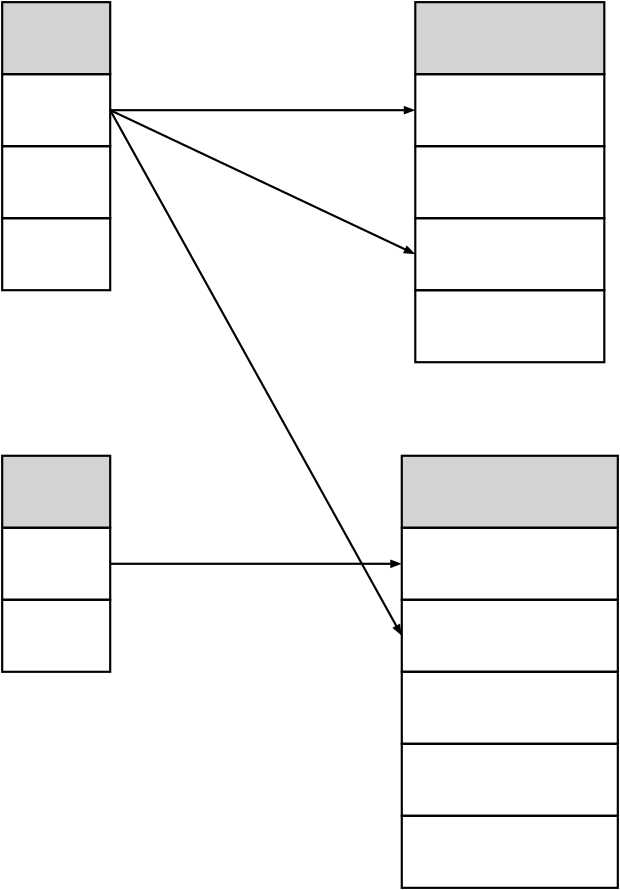
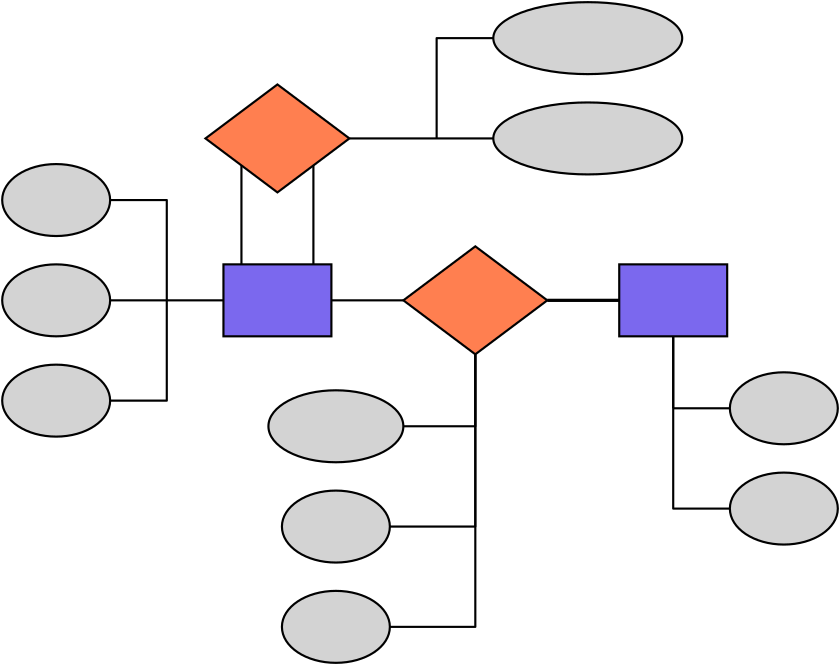
domagi uses a SQL schema with the following four tables to represent a pangenome.
- segment
entity representing pangenome segments
- link
many-to-many relation between segments representing pangenome links
- path
entity representing pangenome paths
- path_segment
many-to-many relation mapping paths to segments associating them with the path at a certain coordinate
The schema and the entity relationship diagram are visualized in Figure 1.1, domagi database schema and Figure 1.2, domagi entity relationship diagram in Chen's notation respectively.
I. Reference
- domagi-build — Convert GFA pangenome file to domagi DuckDB database
- domagi-chop — Divide segments into smaller pieces
- domagi-crush — Crush runs of Ns
- domagi-depth — Compute depth of graph nodes
- domagi-extract — Extract subgraphs
- domagi-matrix — Write graph in sparse matrix format
- domagi-overlap — Find paths touched by given input paths
- domagi-paths — Interrogate paths
- domagi-stats — Compute graph statistics
- domagi-view — Convert domagi DuckDB database pangenome to other formats
Name
domagi-build — Convert GFA pangenome file to domagi DuckDB database.
Description
Convert GFA pangenome file to domagi DuckDB database.
-g FILE,--gfa=FILEInput GFAv1 pangenome file
-o DB,--out=DBOutput pangenome DuckDB database
-t THREADS,--threads=THREADSNumber of threads. If unspecified, all available CPUs are used.
-h,--helpShow help message and exit
Name
domagi-chop — Divide segments into smaller pieces.
Description
Divide segments into smaller pieces while preserving the graph topology.
-i DB,--db=DB,--idx=DBInput pangenome DuckDB database
-o DB,--out=DBOutput pangenome DuckDB database
-c N,--chop-to=NDivide nodes that are longer than N base pairs into nodes no longer than N while preserving the graph topology.
-t THREADS,--threads=THREADSNumber of threads. If unspecified, all available CPUs are used.
-h,--helpShow help message and exit
Name
domagi-crush — Crush runs of Ns.
Description
Replace runs of Ns with single Ns (for example, ANNNT becomes ANT). Similar to the FASTA format, the symbol N is used to represent ambiguous or unknown nucleotides.
-i DB,--db=DB,--idx=DBInput pangenome DuckDB database
-o DB,--out=DBOutput pangenome DuckDB database
-t THREADS,--threads=THREADSNumber of threads. If unspecified, all available CPUs are used.
-h,--helpShow help message and exit
Name
domagi-depth — Compute depth of graph nodes.
Description
Find the depth of a graph as defined by query criteria. The depth of each segment is defined as the number of paths that run through that segment. When invoked without any options, the mean depth of each path is printed in a four-column tab-delimited format with the following columns—path, start coordinate, end coordinate and mean depth. The mean depth of a path is the mean of the depth of all segments in that path with each depth weighted by the length of that segment.
-i DB,--db=DB,--idx=DBInput pangenome DuckDB database
-r PATH,--path=PATHOnly compute the mean depth of the specified path. This argument may be specified more than once to compute the mean depth of more than one path.
-b FILE,--bed-input=FILEBED file specifying ranges over paths of the graph. When this option is specified, compute the mean depth of these ranges rather than the mean depth of the paths.
-d,--graph-depth-tablePrint the depth and unique depth of each segment in the graph. The unique depth of a segment is the number of distinct paths that run through that segment. The output is printed in a three-column tab-delimited format with the following columns—segment name, depth and unique depth.
-t THREADS,--threads=THREADSNumber of threads. If unspecified, all available CPUs are used.
-h,--helpShow help message and exit
Name
domagi-extract — Extract subgraphs.
Description
Extract subgraphs or parts of a graph defined by query criteria.
-i DB,--db=DB,--idx=DBInput pangenome DuckDB database
-o DB,--out=DBOutput pangenome DuckDB database
-t THREADS,--threads=THREADSNumber of threads. If unspecified, all available CPUs are used.
-h,--helpShow help message and exit
-n SEGMENT,--node=SEGMENTSegment name from which to begin the traversal
-c STEPS,--context-steps=STEPSThe number of segments away from the initial segments to traverse
-r PATH_RANGE,--path-range=PATH_RANGEExtract segments in PATH_RANGE, specified in the path[:pos1[-pos2]] format. pos1 and pos2 are 0-based coordinates. The extracted segments include pos1 (inclusive) but not pos2 (exclusive).
-d DISTANCE,--max-distance-subpaths=DISTANCEBridge subpaths that are separated by less than DISTANCE. Default DISTANCE is
300000. This reduces the fragmentation of paths that are unspecified in the input path ranges. Set DISTANCE to0to disable bridging.In contrast to odgi, when bridging subpaths, domagi does not use the newly extracted segments to extend the subgraph further and recursively bridge more subpaths.
Name
domagi-matrix — Write graph in sparse matrix format.
Description
Write the graph in the coordinate list sparse matrix format.
-i DB,--db=DB,--idx=DBInput pangenome DuckDB database
-t THREADS,--threads=THREADSNumber of threads. If unspecified, all available CPUs are used.
-h,--helpShow help message and exit
Name
domagi-overlap — Find paths touched by given input paths.
Description
Find the paths touched by the specified paths. The output is in a four-column tab-delimited format with the following columns—the name of the specified path, its start coordinate, its end coordinate, and the name of the path that touches it. The start and end coordinates are always 0 and the length of the specified path.
-i DB,--db=DB,--idx=DBInput pangenome DuckDB database
-r PATH,--path=PATHFind paths touched by PATH. This argument may be specified more than once to find paths touched by more than one path.
-R FILE,--paths=FILEFind paths touched by paths listed in FILE, one per line.
-t THREADS,--threads=THREADSNumber of threads. If unspecified, all available CPUs are used.
-h,--helpShow help message and exit
Name
domagi-paths — Interrogate paths.
Description
Interrogate paths in the pangenome. Nothing is output unless one of the relevant options are specified.
-i DB,--db=DB,--idx=DBInput pangenome DuckDB database
-L,--list-pathsPrint the names of paths in the pangenome, one per line.
-f,--fastaPrint paths in FASTA format.
-t THREADS,--threads=THREADSNumber of threads. If unspecified, all available CPUs are used.
-h,--helpShow help message and exit
Name
domagi-stats — Compute graph statistics.
Description
Compute variation graph statistics. Among other metrics, it can compute the number nodes, the number of edges, the number of paths and the total nucleotide length of the graph.
-i DB,--db=DB,--idx=DBInput pangenome DuckDB database
-S,--summarizeSummarize the graph properties. Output is printed in a five-column tab-delimited format with the following columns—the number of nucleotides, the number of segments, the number of links, the number of paths, and the number of steps. The number of nucleotides is the total number across all segments of the graph. The number of steps is the total number of segments traversed by all paths in the pangenome. Segments that are traversed more than once are counted multiple times.
-t THREADS,--threads=THREADSNumber of threads. If unspecified, all available CPUs are used.
-h,--helpShow help message and exit
Name
domagi-view — Convert domagi DuckDB database pangenome to other formats.
Description
Convert a pangenome in domagi DuckDB database format to other formats. Only GFAv1 is supported at the moment. Nothing is output unless one of the relevant options are specified.
-i DB,--db=DB,--idx=DBInput pangenome DuckDB database
-g,--to-gfaWrite the pangenome to GFAv1 format.
-t THREADS,--threads=THREADSNumber of threads. If unspecified, all available CPUs are used.
-h,--helpShow help message and exit